


TL;DR
- New Coaching Website Template ships with a pre-configured WordPress stack and service-business pages.
- Template includes booking flows plus Stripe payments for services and packages; editable via AI or code.
- Custom domains are now handled inside AppWizzy with automated DNS setup and SSL.
- AI model selection expanded with OpenAI additions (GPT-5.4 and Codex) alongside Gemini support.
Fact Box
- The Coaching Website Template runs on a pre-configured WordPress stack: Ubuntu, Apache, MySQL, and PHP. Source
- The template includes booking flows for calls/sessions and Stripe payments for services and packages. Source
- The template includes conversion-focused pages like landing pages, applications, FAQs, and case studies. Source
- Custom domain setup is fully automated in-platform, including DNS configuration and SSL.
- AppWizzy added OpenAI models GPT-5.4 and Codex to its AI model selection.
We’ve rolled out two updates designed to shorten the path from idea to a live product: a new Coaching Website Template and fully integrated custom domains.
Two updates, same goal: make it easier to go from idea → real product → live.
Coaching Website Template Is Live
👉 https://appwizzy.com/templates/coaching-template
The new template is built for coaches, consultants, and service-based businesses who want something real to start from, not a blank project. It runs on a pre-configured WordPress stack (Ubuntu, Apache, MySQL, PHP), so you’re stepping into a working environment from the first click.
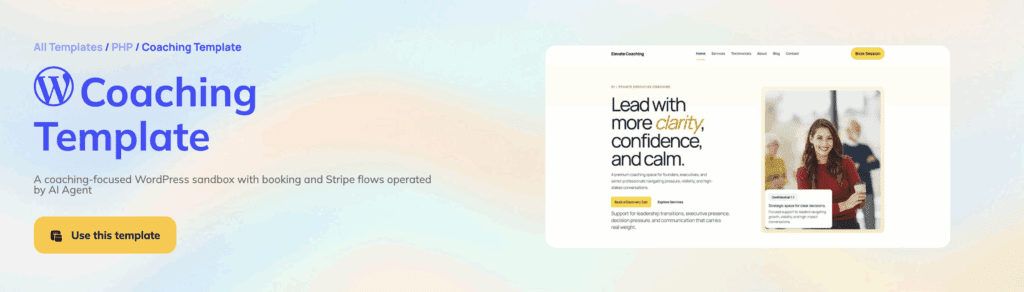
It already includes booking flows for calls and sessions, Stripe payments for services and packages, and a set of conversion-focused pages, such as landing pages, applications, FAQs, and case studies. Content is structured around offers, testimonials, and programs, reflecting how these businesses actually operate.
From there, everything is editable, either through AI or directly in code. The idea is simple: start with something functional, then shape it to your needs instead of building from scratch.
Custom Domains Now Built In
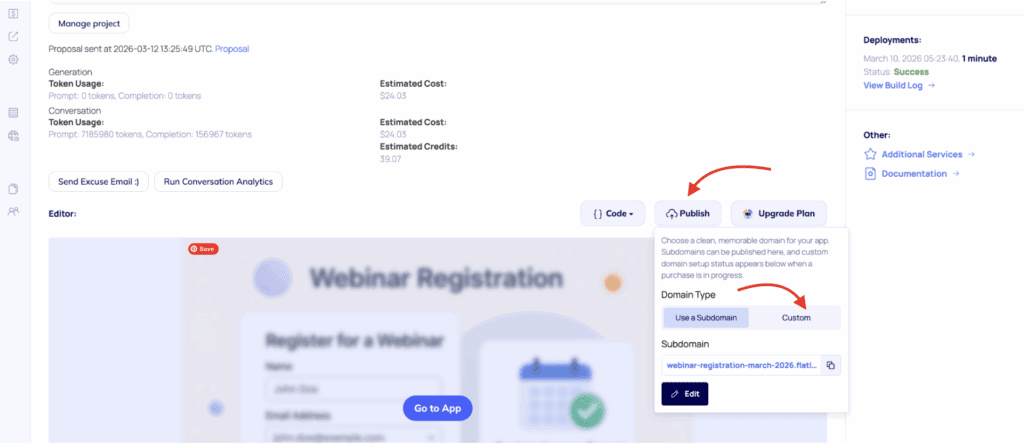
Now you can launch on your own domain without leaving the platform. To use a custom domain, go to your app settings and open the Overview page. In the Publish section, you’ll see the domain configuration panel.
By default, apps are published on a subdomain. To switch, select Custom instead of Subdomain.
From there, you can either purchase a new domain or connect an existing one directly inside the platform. The setup process is fully automated, including DNS configuration and SSL, so no manual steps are required.
Expanded AI Model Selection
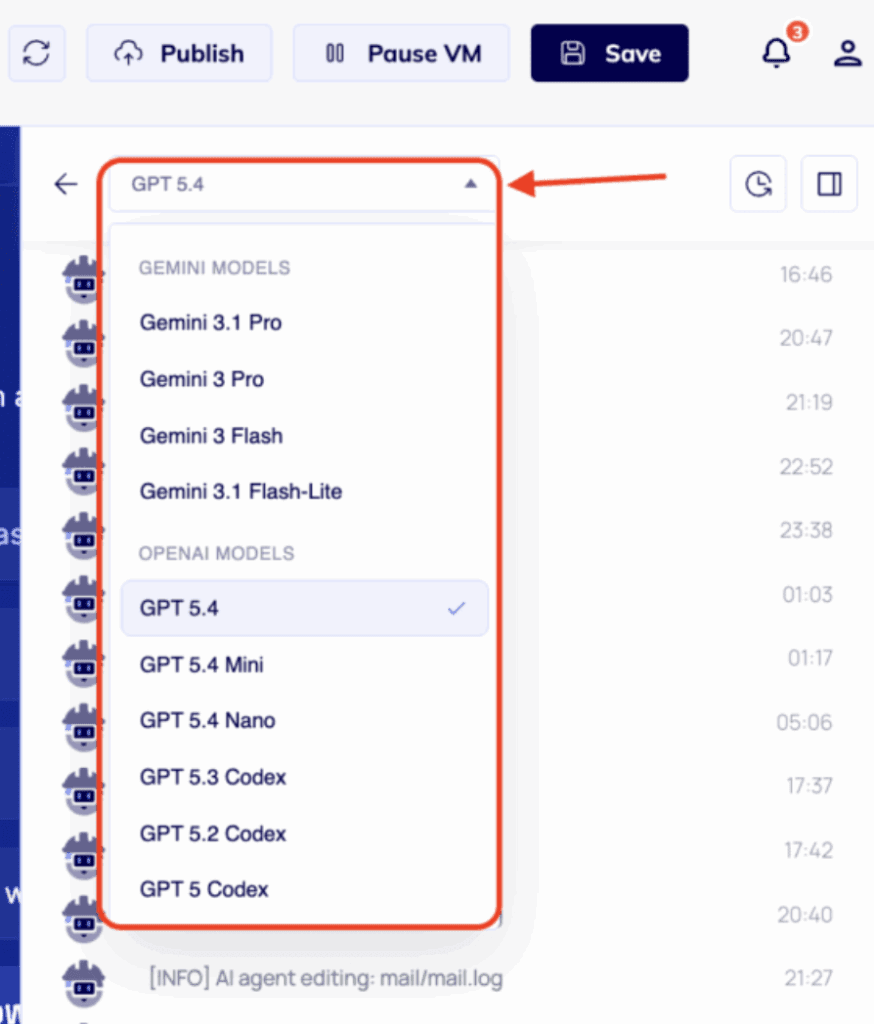
We’ve expanded our AI model lineup with new additions from OpenAI, including GPT-5.4, the latest frontier model designed for complex, professional, and coding workflows.
We’ve also added Codex to the model selection, giving you stronger capabilities for coding, editing, and working with real application logic. Combined with support for both OpenAI and Gemini models, you can now choose the best model for each task directly inside the AI Engineer chat.
Why This Matters
A lot of AI builders stop at generating something. But that’s only the beginning. To be useful, a project needs to be deployable, accessible, and shareable. It needs a real environment and a real domain.
These updates push AppWizzy further in that direction, removing another layer of friction between a generated app and a production-ready product.
What’s Next
The focus remains the same: closing the gap between fast prototypes and fully usable systems. Expect more templates, more flexibility, and fewer manual steps along the way.
Try it here:
👉 https://appwizzy.com/templates/coaching-template