


TL;DR
- AppWizzy: AI-accelerated dev platform with real servers, code ownership, built for production.
- Lovable: full-stack code generator; fastest to MVP, likely export for long-term changes.
- Bolt: no-code with AI; best for quick internal tools/demos; limited backend, may outgrow.
- Choose by stage: ship by Friday -> Bolt; validate fast with real code -> Lovable; build once -> AppWizzy.
- Key risk: the demo is cheap; the second year is expensive—watch scale, cost, and lock-in ceilings.
Fact Box
- AppWizzy runs each project on a dedicated cloud VM with a real database and backend.
- Lovable generates a full-stack app: React + Tailwind UI with a Supabase backend (auth, storage).
- Bolt has no built-in backend; it relies on external services and can export code to Next.js/React.
- AppWizzy uses a Git-native workflow with branches, diffs, rollbacks, and AI change review.
- Pricing: AppWizzy usage-based (AI credits + hosting); Lovable subscription + credits; Bolt token-based plans.
If you’re about to bet months of your life (and a chunk of your runway) on an AI app builder, read this to the end because the cool demo and the shippable product are not the same thing.
When you search for a Lovable vs Bolt vs AppWizzy comparison, you’re usually trying to answer questions like:
- Will I be able to customize beyond the template and prompts?
- What happens when the app grows users, data, integrations, and edge cases?
- Can I export/own the code and keep building without rewrites?
- Where are the hidden ceilings: performance, security, cost, vendor lock-in?
Programs must be written for people to read, and only incidentally for machines to execute. Harold Abelson (SICP)
Here’s the real problem: AI app builders can dramatically speed up the first 80%, but the last 20% (reliability, maintainability, governance, scaling, and cost control) is where teams bleed time and money. We have good evidence that AI assistants can boost developer productivity (e.g., controlled experiments and field studies), but we also see persistent gaps around verification and quality, and recurring tension between low-code speed and enterprise-grade standardization.
By the time you finish this guide, you’ll know exactly how Lovable, Bolt, and AppWizzy compare on:
- features (UI, backend/data, auth, integrations, workflows)
- customization (how far you can go before you hit export or die)
- scalability (technical ceilings + cost ceilings)
- and which platform fits your scenario, prototype, internal tool, or real production SaaS, without getting trapped in the demo treadmill.
What Are These Tools, Really?
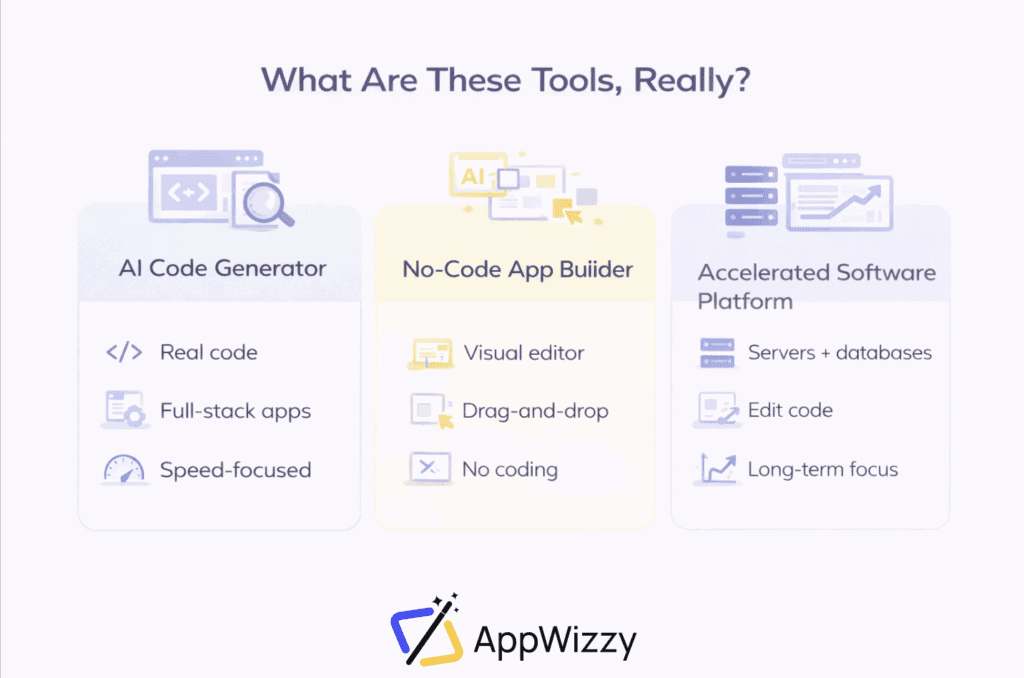
Most products marketed as AI app builders actually belong to three very different categories. The confusion comes from similar marketing language, not from similar capabilities. Understanding these categories helps avoid choosing the wrong tool for the wrong stage.
AI Code Generator for Full-Stack Apps
An AI code generator for full-stack apps is a tool that creates real application code from natural language descriptions. You explain what you want to build, and the system generates a working frontend, backend, database schema, and authentication setup.
There is no visual editor, and no abstraction layer is provided to hide code. The output is a real project that developers can open, edit, and deploy using standard tools. The primary value is speed: it eliminates setup and boilerplate, enabling teams to develop a functional app extremely quickly.
These tools work best for MVPs, prototypes, and early validation. They are not meant to replace engineering long-term, but to compress the first weeks or months of development into days.
In essence, this category treats AI as a code-writing assistant, not as a platform.
No-Code App Builder with AI Assistance
A no-code app builder with AI assistance is first and foremost a visual product. Applications are created by arranging UI components, configuring workflows, and connecting external services through a graphical interface.
AI acts as an accelerator rather than the foundation. It helps generate logic, suggest structures, or automate repetitive steps, but the core experience remains drag-and-drop and configuration-based. Users do not need to understand how the underlying code works to ship an app.
This category is optimized for speed and accessibility. It enables non-technical teams to build internal tools, dashboards, and simple products without involving engineers. The trade-off is flexibility: as complexity grows, visual abstractions can become limiting.
In short, this is no-code first, AI second.
AI-Accelerated Software Development Platform
An AI-accelerated software development platform sits much closer to traditional engineering, with AI embedded directly into the workflow.
Instead of hiding infrastructure, these platforms provide real servers, real databases, real repositories, and real deployment pipelines. AI operates inside this environment, writing and modifying code, running commands, and helping manage changes.
The goal is not to avoid software engineering, but to speed it up. Teams still design architecture, own the code, and control deployments, but repetitive and mechanical work is handled by AI.
This category is designed for production systems, long-term maintenance, and teams that care about scalability and ownership. It has a higher learning curve, but no artificial ceiling.
In essence, this is software development enhanced by AI, not replaced by it.
AppWizzy vs Lovable vs Bolt [Comparison Table]
| Aspect | AppWizzy | Lovable | Bolt.new |
| What kind of tool is it? | AI-accelerated professional software development platform | AI full-stack code generator | No-code app builder with AI assistance |
| Core idea | Build real production software with AI, without giving up code or infrastructure | Generate a working full-stack app from prompts, then refine or export | Build apps visually, with AI helping in the background |
| Environment | Dedicated cloud VM per app (real server, real DB) | Managed cloud environment + Supabase backend | Hosted sandbox/editor environment |
| Code ownership | Full ownership from day one (repo, infra, Docker) | Full ownership via GitHub export | Ownership only after export |
| Backend | Real backend (Node / Python / PHP) + Postgres/MySQL | Supabase-based backend (Postgres, auth, storage) | No native backend (external services only) |
| UI building | Code-first, AI-assisted (no visual editor) | Chat-generated UI (no visual editor) | Drag-and-drop visual builder |
| How you build | Chat with AI → AI edits real code → review → deploy | Chat with AI → generate code → preview → export if needed | Drag UI + workflows → AI assists → publish |
| Deployment | One-click deploy with built-in CI/CD on your own VM | Instant cloud deploy; self-host after export | Instant publish for demos; self-host after export |
| Scalability | Built for production scale (upgrade VM, add workers, load balance) | Stack can scale, but platform iteration gets expensive | MVP-level scale; serious scale requires export |
| Customization depth | Unlimited (libraries, APIs, background jobs, architecture) | Medium (deep changes require export) | Limited in-platform; deeper changes require export |
| Collaboration | Git-native: branches, diffs, rollback, audit logs, SSO (enterprise) | Real-time collaboration + GitHub sync | Real-time multiplayer editing, version snapshots |
| Best for | Developers, SaaS startups, enterprises, consultancies | Technical founders, indie hackers, MVP teams | Non-technical founders, business teams, agencies |
| Not ideal for | Fully non-technical solo users | Users who want visual UI control | Backend-heavy or infra-critical systems |
| Key strengths | Real code + real servers + AI inside your environment | Fastest path from idea → working full-stack app | Lowest learning curve, fastest visual iteration |
| Main pitfalls | Requires dev knowledge; more power than some need | UI polish + iteration can burn credits | No native backend; token costs grow with complexity |
| Pricing model | Usage-based: AI credits + hosting (cloud-style, transparent) | Subscription + AI credits | Monthly token-based plans |
| Cost behavior | Scales with usage; can pause environments | Cheap to start, expensive with heavy iteration | Cheap for small apps, costly for large contexts |
AppWizzy
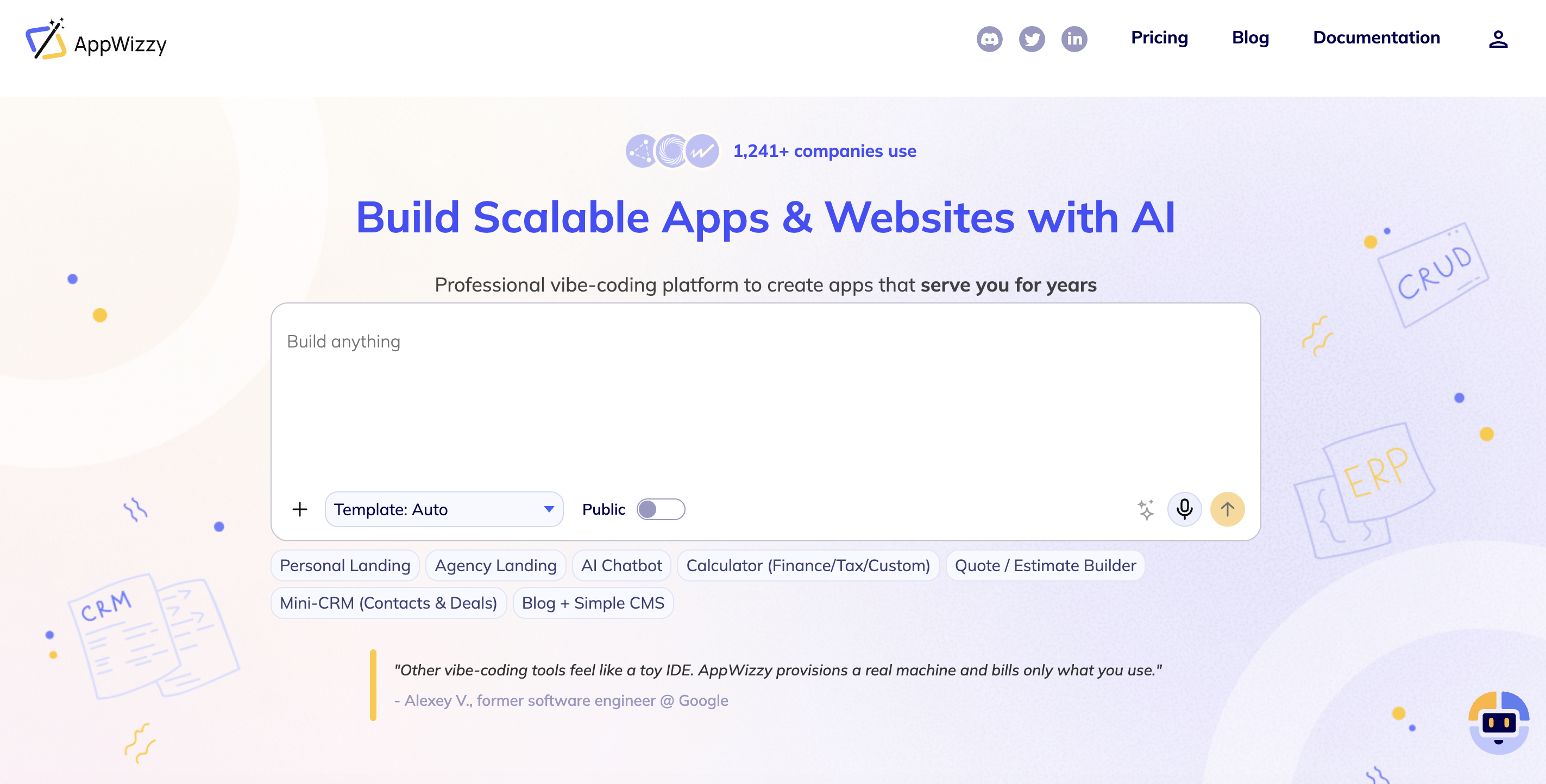
AppWizzy is a professional vibe-coding platform designed to build production-grade applications using conversational AI, without sacrificing code ownership or infrastructure control. Each project runs on a dedicated cloud VM with a real database and a real backend, not a sandbox or preview environment.
You describe what you want, the AI generates and edits real source code inside a Git repository, and you deploy with one click using a built-in CI/CD pipeline. The core promise is simple: real code, real servers, real control.
Unlike no-code platforms, AppWizzy does not abstract infrastructure away forever. Instead, it automates it, allowing teams to start fast and scale without rewriting or migrating later.
AppWizzy is built for:
- Developers and engineering teams who want AI speed without losing architectural control
- Startups building real SaaS products with long-term scaling in mind
- Technical founders who want to ship fast but keep clean code
- Enterprises and consultancies building internal tools or customer-facing systems
It is less suited for fully non-technical solo users who want zero exposure to code.
Key Features
- Chat-to-code AI that writes and edits real backend and frontend code
- Dedicated VM per app (Node, Python, or PHP backends; Postgres/MySQL databases)
- Git-native workflow with branches, diffs, rollbacks, and AI change review
- One-click deployment with HTTPS, CI/CD, and environment management
- Full access to libraries, APIs, background jobs, queues, cron tasks
- Image-to-UI generation (design screenshots → real layouts)
- No vendor lock-in: Docker, repo, and infra config are exportable
Pitfalls
- Requires basic development knowledge to fully leverage
- More powerful than many non-technical founders initially need
- Pricing model is transparent but more detailed than flat no-code plans
Pricing
AppWizzy uses usage-based pricing with subscription tiers:
- Free tier (very limited credits) for testing
- Paid tiers combine AI credits + hosting usage
- Costs are visible per action (AI calls, compute, storage)
- Environments can be paused to reduce cost
- Enterprise plans offer custom infrastructure and support
Best described as cloud-style pricing, similar to AWS or GCP, but simplified.
Lovable
Lovable is a full-stack AI app builder that generates working web applications from natural language prompts. You describe the app, and Lovable produces a complete project: React frontend, Tailwind UI, Supabase backend with auth and database.
The platform focuses on real, editable source code, not a locked visual editor. You can preview the app instantly, sync to GitHub, and export the code at any time. Lovable’s strength is speed: it can turn an idea into a functional MVP in minutes.
Lovable is best for:
- Technical founders and indie hackers
- Developers who want to skip boilerplate
- Small teams building MVPs or internal tools
- Product managers or designers working with developers
It is less suitable for non-technical users who want visual control.
Key Features
- Chat-based AI that generates full-stack React apps
- Supabase-native backend (Postgres, auth, storage)
- Live preview and instant deployment
- GitHub sync and full code export
- Templates for common app types (dashboards, SaaS, tools)
- Multi-step AI chat mode for coordinated edits
Pitfalls
- No visual UI editor or pixel-level control
- Advanced customization often requires exporting code
- Heavy iteration can burn AI credits quickly
- Less flexible backend architecture compared to custom stacks
Pricing
Lovable uses subscription + AI credits:
- Free tier with limited daily credits
- Pro plan for individual developers
- Business and Enterprise plans with more credits and features
- Credit usage increases with complex or repeated AI edits
Affordable for MVPs, but long-term projects often export and self-host to control costs.
Bolt.new
Bolt is a hybrid no-code app builder and AI IDE that lets users visually design applications while AI generates code behind the scenes. It combines a drag-and-drop UI builder with workflows, automations, and real-time collaboration.
Bolt shines in front-end prototyping and internal tools, allowing users to go from idea to working app extremely fast, often without writing code at all.
Bolt is ideal for:
- Non-technical founders
- Business teams (marketing, operations, HR)
- Agencies and freelancers delivering quick solutions
- Educators, students, and hackathon teams
Less suitable for backend-heavy or infrastructure-critical systems.
Key Features
- Drag-and-drop UI builder with responsive layouts
- Visual workflows, triggers, and reusable blocks
- AI-assisted code generation and refactoring
- Real-time multiplayer collaboration
- Integrations with external services (Supabase, Airtable, APIs)
- Code export to Next.js / React projects
Pitfalls
- No built-in backend or database
- Heavy reliance on third-party services
- Backend customization require exporting and rebuilding
- Large projects can become expensive due to AI token usage
Pricing
Bolt uses token-based monthly plans:
- Free tier with limited tokens
- Paid tiers scale by token allowance
- Tokens are consumed by AI usage
- No token rollover between months
Great value for quick builds, but costs increase as app complexity grows.
How to Choose the Best Tool for Your Startup or Business
Choosing between Lovable, Bolt, and AppWizzy depends less on features and more on what stage you’re at and where you’re going.
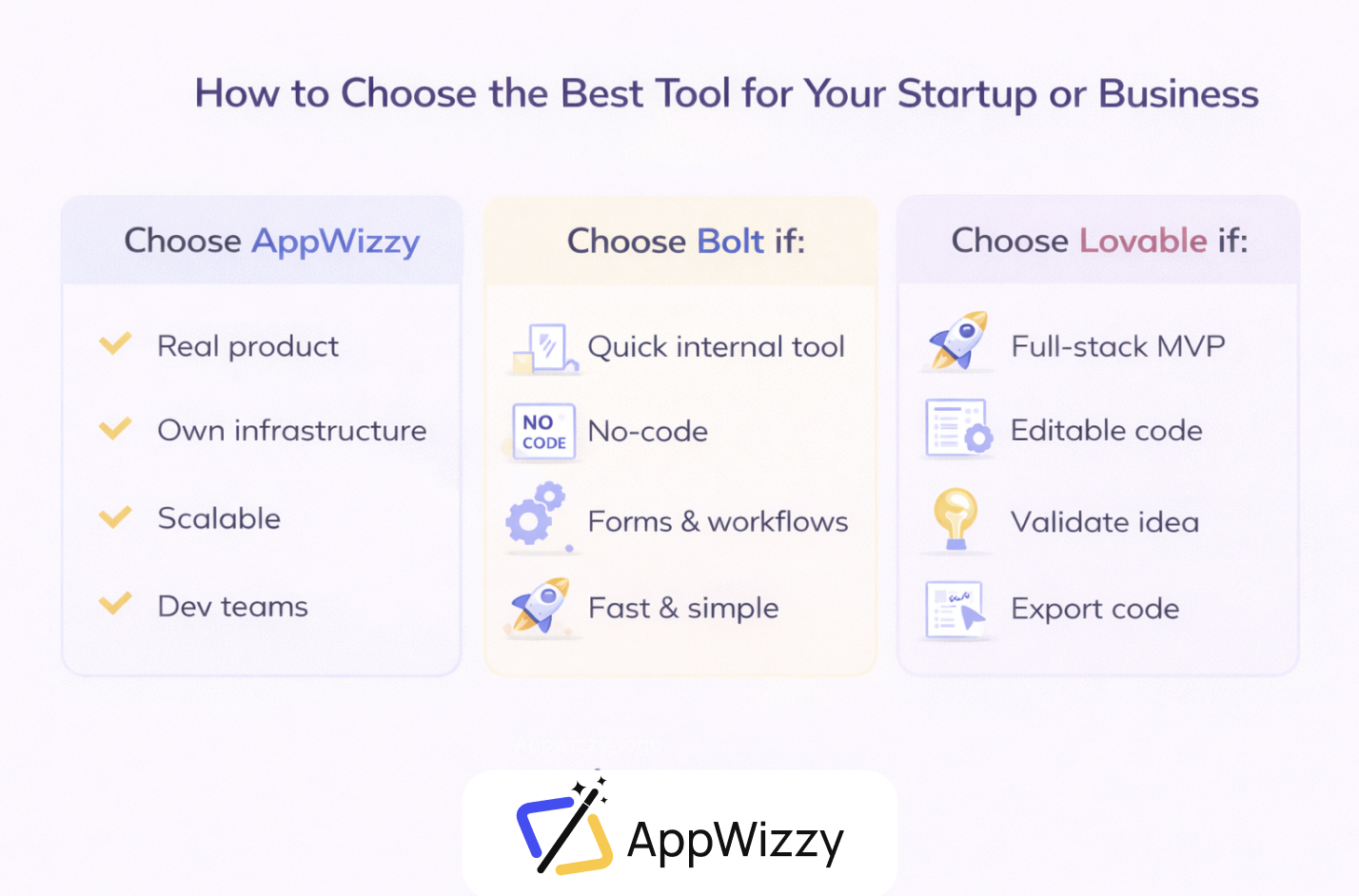
Choose AppWizzy if:
- You’re building a real product, not just a demo
- Code ownership and infrastructure control matter
- You expect growth, integrations, and long-term maintenance
- You have developers or plan to hire them
Typical users: startups building SaaS, professional dev teams, enterprises, consultancies.
⚠️ Trade-off: Slightly higher learning curve for non-technical users.
Choose Bolt if:
- You or your team don’t want to write code
- You need a quick internal tool, demo, or MVP
- Your app logic is mostly forms, dashboards, and workflows
- You value speed and simplicity over deep customization
Typical users: non-technical founders, business teams, agencies, internal operations.
⚠️ Risk: You may outgrow Bolt once backend complexity or scale increases.
Choose Lovable if:
- You want a real full-stack app fast
- You’re comfortable exporting and editing code later
- You’re building an MVP to validate an idea
- You want to avoid visual no-code lock-in
Typical users: technical founders, indie hackers, small dev teams.
⚠️ Risk: Long-term development and frequent changes can become costly inside the platform.
Conclusion: What Actually Matters
If you strip away the hype, this comparison comes down to a simple truth: the demo is cheap, the second year is expensive.
All three tools can get you to something that works. The real difference is what happens after the first success, when users arrive, requirements change, edge cases pile up, and the app has to survive real usage.
- AppWizzy is about continuity. It assumes from day one that what you’re building might need to live for years. Instead of abstracting infrastructure away, it automates it. You still get AI speed, but inside a real engineering environment with real servers, real databases, and real deployment pipelines.
- Bolt.new is about access. It lowers the barrier to building software, so non-technical teams can move fast. It’s excellent for internal tools, demos, and early MVPs. The trade-off is structural: backend depth, infrastructure control, and long-term scalability are intentionally limited. Many teams eventually hit a point where exporting and rebuilding become unavoidable.
- Lovable is about speed with real code. It compresses weeks of setup into minutes and gives you a working full-stack app quickly. For technical founders and MVP validation, it’s hard to beat. The tension shows up later: heavy iteration, UI polish, and non-standard backend needs often push teams out of the platform and into manual development sooner than expected.
If you already know you’re building a real product, not just testing an idea, skipping the rewrite is often the biggest win you can buy.
That’s the quiet reason many teams end up choosing AppWizzy mid-journey: not because it’s more powerful, but because it removes the cliff between MVP and production.
The honest takeaway
- If your goal is ship something by Friday → Bolt
- If your goal is validate this idea fast with real code → Lovable
- If your goal is build once and keep building → AppWizzy
None of these tools is wrong. They’re optimized for different failure modes.
The mistake is choosing a tool for the first month when you’re really paying for the next twelve.