TL;DR
- AppWizzy Projects MCP connects AI coding agents directly to AppWizzy project infrastructure.
- Agents can create projects from a ZIP, choose a machine, monitor deployment, and return the live URL.
- OAuth in-browser auth avoids copying bearer tokens; your AppWizzy password isn’t shared with Codex.
- Set up in Codex Desktop (MCP servers) or via Codex CLI using the Projects MCP endpoint.
Fact Box
- Projects MCP endpoint URL is https://appwizzy.com/mcp/projects. Source
- Codex OAuth Client ID for the server is "appwizzy-codex-cli".
- ZIP imports use AppWizzy’s external-code template to create a complete AppWizzy environment.
- Temporary ZIP upload data is removed after the archive has been processed.
- Authentication happens via in-browser OAuth, so no bearer token needs to be generated or copied.
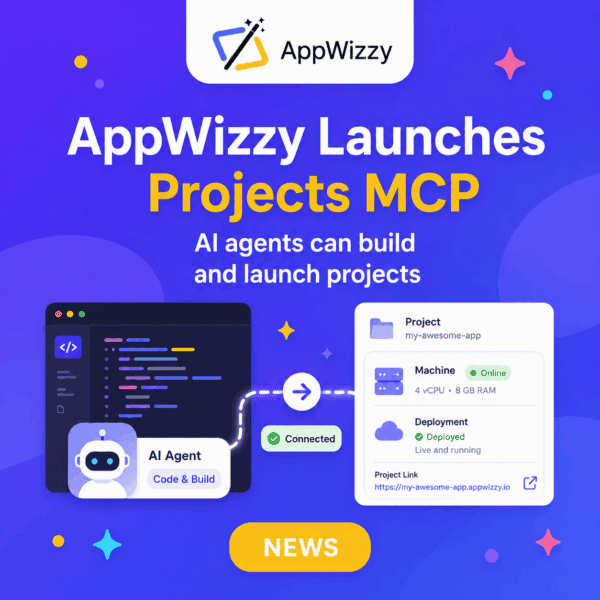
We’ve launched AppWizzy Projects MCP, creating a direct connection between AI coding agents and the AppWizzy project infrastructure.
Your agent can now take code from your workspace, create an AppWizzy project, help you select the right machine, and monitor the project until it is running.
One connection, one workflow: local code → AppWizzy project → live application.

What Your Agent Can Do
With AppWizzy Projects MCP, an AI agent can manage the project creation workflow without manual API requests or copied bearer tokens.
It can:
- Show available machines with their specifications and pricing.
- Create a new AppWizzy project from a ZIP archive.
- List your existing AppWizzy projects.
- Check project creation progress.
- Monitor deployment status.
- Return the project URL when the application is ready.
The agent can guide you through the process, explain the available infrastructure options, and ask for confirmation before reserving credits.
How ZIP Import Works
Your ZIP archive is imported into AppWizzy’s external-code template. This allows you to bring an existing application-or code generated locally by an AI agent, into a complete AppWizzy environment without rebuilding the project manually. Temporary upload data is removed after the archive has been processed.
Connect AppWizzy to Codex

Codex Desktop
Open: Settings → MCP servers → Add server
Then enter the following values:
| Field | Value |
| Name | appwizzy_projects |
| Type | Streamable HTTP |
| URL | https://appwizzy.com/mcp/projects |
| OAuth Client ID | appwizzy-codex-cli |
Save the server and click Authenticate. Your browser will open the AppWizzy authorization page, where you can approve access to your account.
OAuth Authorization, Without Bearer Tokens
Your AppWizzy password is never shared with Codex. Authentication happens directly in your browser through OAuth, so there is no need to generate, copy, or expose a bearer token inside your AI conversation or configuration.
Connect Through Codex CLI
Run:
codex mcp add appwizzy_projects \ --url https://appwizzy.com/mcp/projects \ --oauth-client-id appwizzy-codex-cliThen authenticate:
codex mcp login appwizzy_projectsThe login command will open the AppWizzy authorization flow in your browser.
Manual Configuration
You can also configure the MCP server manually in:
~/.codex/config.tomlAdd:
[mcp_servers.appwizzy_projects]url = "https://appwizzy.com/mcp/projects"[mcp_servers.appwizzy_projects.oauth]client_id = "appwizzy-codex-cli"Restart Codex after saving the file.
Create Your First Project
Once the connection is active, give your agent a direct instruction.
Example Prompt
Show me the available AppWizzy machines with their specifications and pricing. Then create a project from ./my-project.zip. Ask me to confirm the machine before reserving credits, and monitor the project until it is ready.
The agent will:
- Inspect the available machine options.
- Explain their specifications and cost.
- Ask you to select or confirm a machine.
- Upload your application code.
- Create the AppWizzy project.
- Monitor project creation and deployment.
- Return the project link when it is ready.
Why This Matters
AI coding agents are already capable of writing complete applications. But generating code is only part of the job. The application still needs somewhere to run. Infrastructure must be selected, a project must be created, the code must be uploaded, and the deployment must be monitored. Until now, moving from an AI coding conversation to a real running environment still required a series of manual steps.
AppWizzy Projects MCP closes that gap. Your agent writes and prepares the code. AppWizzy provides the runtime, infrastructure, project lifecycle, and deployment environment.
From Local Code to a Running Project
The goal is straightforward: make launching an application a natural continuation of building it with an AI agent.
Connect AppWizzy Projects MCP, point your agent to a ZIP archive, choose a machine, and launch your first agent-created project.