TL;DR
- Admin dashboards can become critical infrastructure as startups scale users, data, and workflows.
- Early tool choices matter: one study cited says developers waste 23% of time due to technical debt.
- AppWizzy is positioned for building a full product + admin dashboard together with AI, roles, and permissions.
- For existing backends, internal-tool builders (Retool, Appsmith, ToolJet, Budibase) speed up ops dashboards.
- Non-technical teams may prefer Softr, Bubble, or Glide for fast portals and data-driven apps.
Fact Box
- The article cites a longitudinal study where developers reported wasting an average of 23% of their time due to technical debt.
- Tools compared include AppWizzy, Retool, Softr, Appsmith, ToolJet, Budibase, Bubble, and Glide.
- AppWizzy is presented as an AI app builder that can generate app structure, database, user management, and roles/permissions.
- Softr is described as connecting to data sources like Airtable, Google Sheets, HubSpot, MySQL, and PostgreSQL.
- Appsmith, ToolJet, and Budibase are positioned as options for startups that want open-source or self-hosted internal tools.
Your admin dashboard may look like a small internal tool today, but the wrong choice can turn it into a bottleneck tomorrow. Read to the end to find the tools that can help your startup grow without rebuilding its dashboard from scratch.
When choosing an admin dashboard tool, startup teams usually ask the same questions: Which tool is easiest to use? Which one can I launch quickly? Will it still work when my startup grows? And do I need developers to maintain it? As Steve Jobs famously said, “You’ve got to start with the customer experience and work back toward the technology.” The same idea applies to admin dashboards: the best tool isn’t necessarily the one with the longest feature list, but the one that fits the way your team actually works.
Admin dashboards often start as a small operational necessity and gradually become critical infrastructure. As startups gain customers, data, employees, and business processes, managing users, subscriptions, payments, orders, permissions, and internal workflows becomes increasingly difficult. Research into technical debt shows why these early decisions matter: one longitudinal study found that developers reported wasting an average of 23% of their time because of technical debt, while other research has linked increasing software complexity with greater maintenance effort.
By the end of this article, you’ll know which admin dashboard tools are worth considering in 2026, what each one is best for, how they compare, and which option makes the most sense for your startup. We’ll start with AppWizzy and then compare it with popular tools including Retool, Softr, Appsmith, ToolJet, Budibase, Bubble, and Glide.
What Is an Admin Dashboard?
An admin dashboard is the behind-the-scenes part of a product where your team manages what customers don’t see.
Depending on your startup, it might be used to:
- Manage users and customer accounts
- View orders or transactions
- Manage subscriptions
- Update products or content
- Handle customer support
- Review analytics
- Approve requests
- Manage permissions
- Track business operations
- Export data
For a small startup, this might initially be a simple table. But as the business grows, the dashboard often becomes much more important. Imagine launching a SaaS product with 50 customers.
You might only need: Users → View → Edit
A few months later, you have 5,000 customers and suddenly need: Users → Search → Filter → Edit → Suspend → Change plan → View activity → Contact → Export
The dashboard has become a core part of how your company operates. That’s why choosing the right tool early can save time later.
What Should Startups Look for in an Admin Dashboard Tool?
Before comparing tools, it’s worth deciding what actually matters. Startups don’t necessarily need the most powerful dashboard builder on the market. They need a tool that gives them the right balance of speed, flexibility, cost, and room to grow.
Here are the most important things to consider.
1. Speed
Can you launch something useful in days rather than weeks?
For an early-stage startup, this can be more important than having every possible customization option.
2. Ease of use
Can a founder, product manager, or operations person make changes without creating a developer ticket every time?
3. Scalability
Will the tool still make sense when you have more users, more data, and more complicated workflows?
4. Integrations
Can it connect to the systems you already use?
For example:
- PostgreSQL
- MySQL
- REST APIs
- Stripe
- CRM
- Analytics tools
- Communication tools
5. Permissions
Can different people have different levels of access?
A support specialist probably shouldn’t have the same access as your company administrator.
6. Ownership and flexibility
What happens if your startup changes direction? Can you continue developing the application? Can your developers work with it? Can you integrate it with the rest of your stack?
These questions become particularly important once the dashboard moves from “nice internal tool” to “something the business depends on.”
AppWizzy
Best for: Startups that want to build a complete application with an admin dashboard
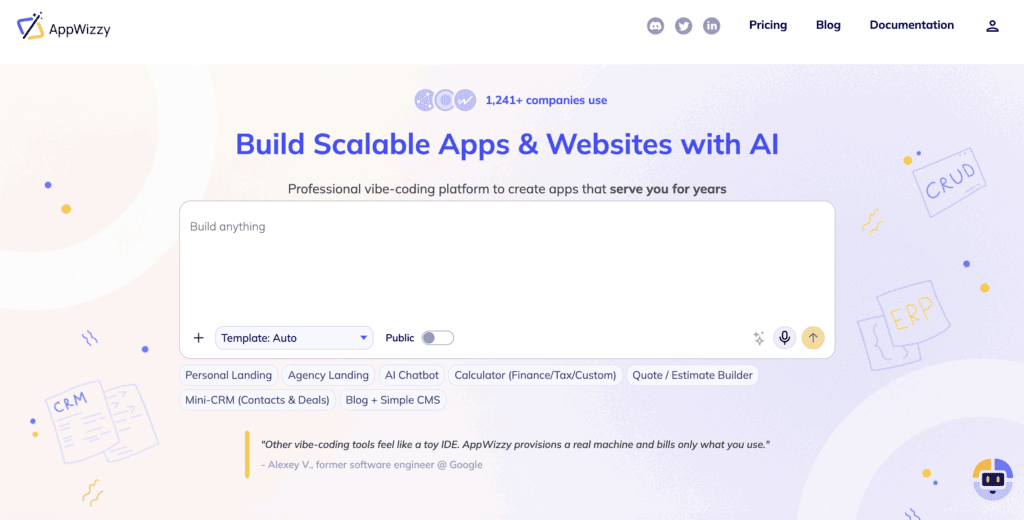
For many startups, an admin dashboard isn’t really a standalone product. It’s one part of a much bigger application. You might need a customer-facing product, user accounts, subscriptions, payments, analytics, and an admin area to manage everything.
That’s where AppWizzy stands out.
Instead of focusing only on internal tools, AppWizzy is designed around building applications with AI. It can help create the application structure, database, user management, roles and permissions, and other parts of a working product. Its documentation also includes built-in roles and permissions that can be customized for different users.
This makes AppWizzy particularly interesting for startups building a product from scratch. For example, imagine you’re launching a SaaS platform. You might need:
Customer side
- Sign up and login
- User dashboard
- Account settings
- Subscription management
- Product functionality
Admin side
- User management
- Subscription management
- Analytics
- Content management
- Customer support
- Roles and permissions
With a traditional approach, these could become several separate development projects.
With an AI app builder, the goal is to get much closer to a working product from the beginning and continue iterating from there.
Why startups might choose AppWizzy
- AI-assisted application development
- Build customer-facing and admin functionality together
- Built-in user management
- Roles and permissions
- Database-backed applications
- Useful for SaaS and business applications
- Can evolve as the product changes
The biggest advantage is the broader scope.
If you’re building a real startup product rather than just an internal CRUD interface, you don’t necessarily want to build the admin side separately.
Best for
SaaS startups, marketplaces, CRM products, B2B platforms, customer portals, and founders building a new product from scratch.
The trade-off
If you only need a very small internal tool connected to an existing database, a specialized internal-tool builder may be simpler. But if you’re building the actual product, AppWizzy is a strong place to start.
Softr
Best for: Non-technical startups building portals and simple business apps
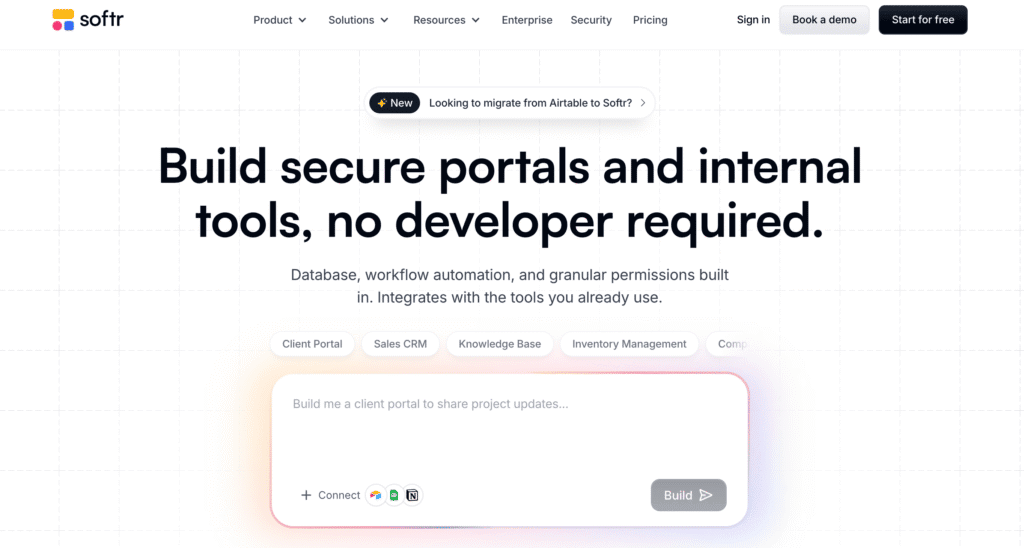
Softr is aimed at teams that want to build business applications without traditional development.
You can use it to create:
- Client portals
- Employee portals
- Internal dashboards
- CRMs
- Inventory tools
- Partner portals
- Reporting dashboards
Softr can work with its own database or connect to external sources including Airtable, Google Sheets, HubSpot, MySQL, PostgreSQL, and others. It also offers user groups and permissions so different users can see different information.
That’s useful for startups where the people who need the tool aren’t necessarily developers.
For example, an operations manager could create a customer portal without waiting for engineering to build one.
Why startups choose Softr
- Low technical barrier
- AI-assisted app creation
- Client and internal portals
- Multiple data sources
- Permissions and user groups
- Fast to launch
Best for
Small businesses, non-technical founders, operations teams, and startups building portals around existing business data.
The trade-off
Softr is particularly strong for business apps and portals. If your startup needs a highly customized product with more complex application requirements, another platform may be a better fit.
Appsmith
Best for: Technical startups looking for an open-source internal-tool platform
Appsmith is focused on internal applications such as:
- Admin panels
- Dashboards
- Database interfaces
- Approval applications
- Customer support tools
- CRUD applications
It is open source and can connect to databases and APIs. Teams can build interfaces using pre-built components and add business logic where necessary. Appsmith also supports Git-based workflows and self-hosting.
This makes it appealing to startups that want more control over their internal tools.
Why startups choose Appsmith
- Open-source
- Database and API connections
- Admin panels
- Developer-friendly
- Self-hosting option
- Git support
Best for
Technical startups that want flexibility and more control over their internal applications.
The trade-off
More control also means more responsibility.
If you’re a very early-stage startup without technical resources, a more managed platform may be easier.
ToolJet
Best for: Startups building flexible internal tools
ToolJet is another platform focused on internal applications.
It can be used for dashboards, CRUD applications, workflows, and other operational tools. The platform highlights database and API connections, permissions, audit logs, and integrations.
For a startup, this means you can create a dedicated interface for a process without building every part manually.
For example:
Customer support
→ Search customer
→ View account
→ Check subscription
→ Update information
→ Add internal note
Instead of asking a developer to build the entire workflow, an internal-tool platform can help the team assemble it much faster.
Why startups choose ToolJet
- Internal dashboards
- Multiple integrations
- Permissions
- Audit logs
- Open-source option
- Good for operational workflows
Best for
Technical startups and teams that need flexible internal applications.
The trade-off
ToolJet is more focused on internal operations than on building a customer-facing startup product.
Budibase
Best for: Startups building internal business applications
Budibase focuses on turning business processes into simple internal applications.
Instead of managing requests through spreadsheets, emails, and Slack messages, a team can create a dedicated application for the workflow.
For example:
- Employee requests
- Approvals
- Inventory
- Operations
- Internal forms
- Dashboards
Budibase describes its platform as an open-source solution for internal tools and workflow automation, with support for connecting business data and self-hosting.
Why startups choose Budibase
- Internal applications
- Workflow automation
- Forms and approvals
- Visual builder
- Open-source option
- Self-hosting
Best for
Startups that need internal operational tools without building everything from scratch.
The trade-off
Budibase makes the most sense when the application is primarily for internal business processes rather than a customer-facing product.
Bubble
Best for: Startups building an entire web application without traditional coding
Bubble is broader than an admin dashboard builder.
It’s a full no-code application platform that can be used to create customer-facing web applications, databases, workflows, and interfaces. Bubble now combines AI generation with visual editing and lets users build applications from prompts.
That makes it relevant to startups because the admin dashboard can simply become another part of the application.
For example:
Customer
→ Website
→ Account
→ Dashboard
→ Payments
Admin
→ Users
→ Orders
→ Analytics
→ Settings
Everything can live within the same application.
Why startups choose Bubble
- Full web applications
- Visual development
- Customer-facing products
- Databases
- Workflows
- AI-assisted building
- Large ecosystem
Best for
Founders who want to build an entire web product visually.
The trade-off
Bubble is powerful, but a large application can take time to learn and organize well.
Glide
Best for: Simple internal apps built around business data
Glide is a good option when the problem is relatively straightforward: You have data. You need an application around that data.
For example:
- Employee directory
- Inventory tracker
- Sales tracker
- Customer database
- Event management
- Internal operations
The emphasis is on getting a useful application running quickly rather than building a highly customized software system.
Why startups choose Glide
- Easy to start
- Data-driven applications
- Simple internal tools
- Low technical barrier
- Good for small teams
Best for
Early-stage startups and small teams with relatively simple internal workflows.
The trade-off
If your application becomes highly customized or requires complex product functionality, you may eventually need a more flexible platform.
Best Admin Dashboard Tools: Quick Comparison
| Tool | Best for | Technical level | Startup product | Internal tools |
| AppWizzy | Full startup products + admin | Low-Medium | ⭐⭐⭐⭐⭐ | ⭐⭐⭐⭐ |
| Retool | Existing systems + internal tools | Medium | ⭐⭐ | ⭐⭐⭐⭐⭐ |
| Softr | Portals and business apps | Low | ⭐⭐⭐ | ⭐⭐⭐⭐ |
| Appsmith | Open-source internal tools | Medium-High | ⭐⭐ | ⭐⭐⭐⭐⭐ |
| ToolJet | Flexible internal apps | Medium | ⭐⭐ | ⭐⭐⭐⭐⭐ |
| Budibase | Internal workflows | Low-Medium | ⭐⭐ | ⭐⭐⭐⭐ |
| Bubble | Full web applications | Medium | ⭐⭐⭐⭐⭐ | ⭐⭐⭐ |
| Glide | Simple data-driven apps | Low | ⭐⭐⭐ | ⭐⭐⭐ |
Which Admin Dashboard Tool Should Your Startup Choose?
There isn’t one tool that’s perfect for every startup.
The right choice depends on what you’re building and where your startup is right now.
If you’re building a new SaaS product
Start with AppWizzy or Bubble. You need more than an admin dashboard. You need the product itself, including the customer experience and the administrative side.
AppWizzy is particularly attractive if you want to use AI to accelerate application development while keeping the project open for continued development.
If you already have a product and database
Look at Retool, Appsmith, ToolJet, or Budibase. You already have the backend. You simply need a better interface for your team. There’s no reason to spend months rebuilding infrastructure that already exists.
If you’re a non-technical founder
Consider AppWizzy, Softr, Bubble, or Glide. The goal here is speed. You want to turn an idea into something your team can actually use without turning every small change into a development project.
If you’re building a client or partner portal
Softr is particularly worth considering. Its platform is specifically designed around portals, permissions, business data, and workflows.
If you want open source or self-hosting
Consider Appsmith, ToolJet, or Budibase. These tools are particularly interesting if your startup wants more control over deployment and infrastructure.
If the dashboard is going to become part of the product
This is where the choice becomes more important. Your “internal dashboard” might not stay internal forever. A startup could eventually need:
- Customer dashboards
- Partner portals
- Vendor interfaces
- Support interfaces
- Manager dashboards
- Admin controls
If you know the dashboard is going to grow into a broader application, choosing a platform that can support the whole product can make more sense than choosing an internal-tool builder purely for speed. That’s one of the reasons AppWizzy is particularly relevant for startups building from scratch.
What Makes an Admin Dashboard Scalable?
You don’t need to build everything on day one. That’s one of the biggest mistakes startups make. Scalability doesn’t mean creating a huge dashboard before you have customers. It means choosing a foundation that won’t make your next stage unnecessarily difficult.
For example, your first version might only need: Users → View → Edit
Later, you may add: Users → Search → Filter → Roles → Subscriptions → Activity → Export
The important thing is that adding those capabilities doesn’t require starting again. A good dashboard should be able to grow in three directions.
More data
Your dashboard should remain useful as the number of customers and records increases.
More people
Different employees should be able to access the information they need without giving everyone access to everything.
More workflows
As your startup grows, the dashboard will likely become the place where your team actually operates the business.
The research on technical debt reinforces why this matters. Software shortcuts can create additional maintenance work later, and studies have found substantial developer time can be consumed by that accumulated complexity.
For a startup, that matters because developer time is one of the most expensive resources you have.
7 Questions to Ask Before Choosing a Tool
Before committing to an admin dashboard platform, ask:
1. Can we launch our first version quickly?
If it takes months to build your internal dashboard, that’s probably too much for an MVP.
2. Can non-developers make simple changes?
Your operations team shouldn’t need engineering support every time they need a new filter or field.
3. Can we add more users and roles?
Today’s startup might have two administrators.
Tomorrow it could have support agents, managers, finance, operations, and external partners.
4. Can it connect to our existing tools?
Check your database, APIs, payments, CRM, analytics, and other systems.
5. Can we customize it as our needs change?
Your first workflow probably won’t be your final workflow.
6. What happens if we outgrow it?
This question is often ignored.
Don’t only ask how easy it is to start.
Ask how difficult it will be to leave, migrate, or expand.
7. Are we building an internal tool or an actual product?
This might be the most important question.
If you’re building something only employees will use, an internal-tool platform may be perfect.
If you’re building a startup product where the admin dashboard is part of the application, a full application platform may make more sense.
Final Thoughts
An admin dashboard might not be the most exciting item on a startup roadmap, but it can quickly become one of the most important parts of running the business. What starts as a simple tool for managing users can soon expand to include subscriptions, customer support, financial operations, analytics, permissions, and customer-facing dashboards.
That’s why it’s worth thinking beyond the first version when choosing a tool. Retool, Softr, Appsmith, ToolJet, Budibase, Bubble, and Glide can all be strong options depending on your startup’s needs, existing technology, and team.
However, if you’re building a startup product from scratch and want your admin experience to evolve alongside the product, AppWizzy is a particularly strong option. Instead of treating the admin dashboard as a separate internal project, you can build it as part of the application itself and continue expanding it as your business grows.
The best approach is simple: don’t choose a dashboard tool only for what it can do today. Choose a foundation that can support where your startup is going tomorrow.